Skip to content

    Best Student Laptops under Kr3,500 in Denmark

    Finding a laptop for school on a budget means balancing everyday speed, battery life and portability. These picks—the Acer Aspire Go 14, Lenovo IdeaPad Slim 3 (14-inch, Gen 9) and ASUS Vivobook Go 15—are worth comparing for lectures, assignments and browsing.

    Check each configuration carefully: processor, RAM and storage can vary, as can screen quality and real-world battery life. We also consider keyboard comfort, weight and ports, so you can assess how well each laptop fits a student routine in Denmark.

    Guide updated November 8, 2026. Shop prices have their own check dates.

    3 picks

    Best overall
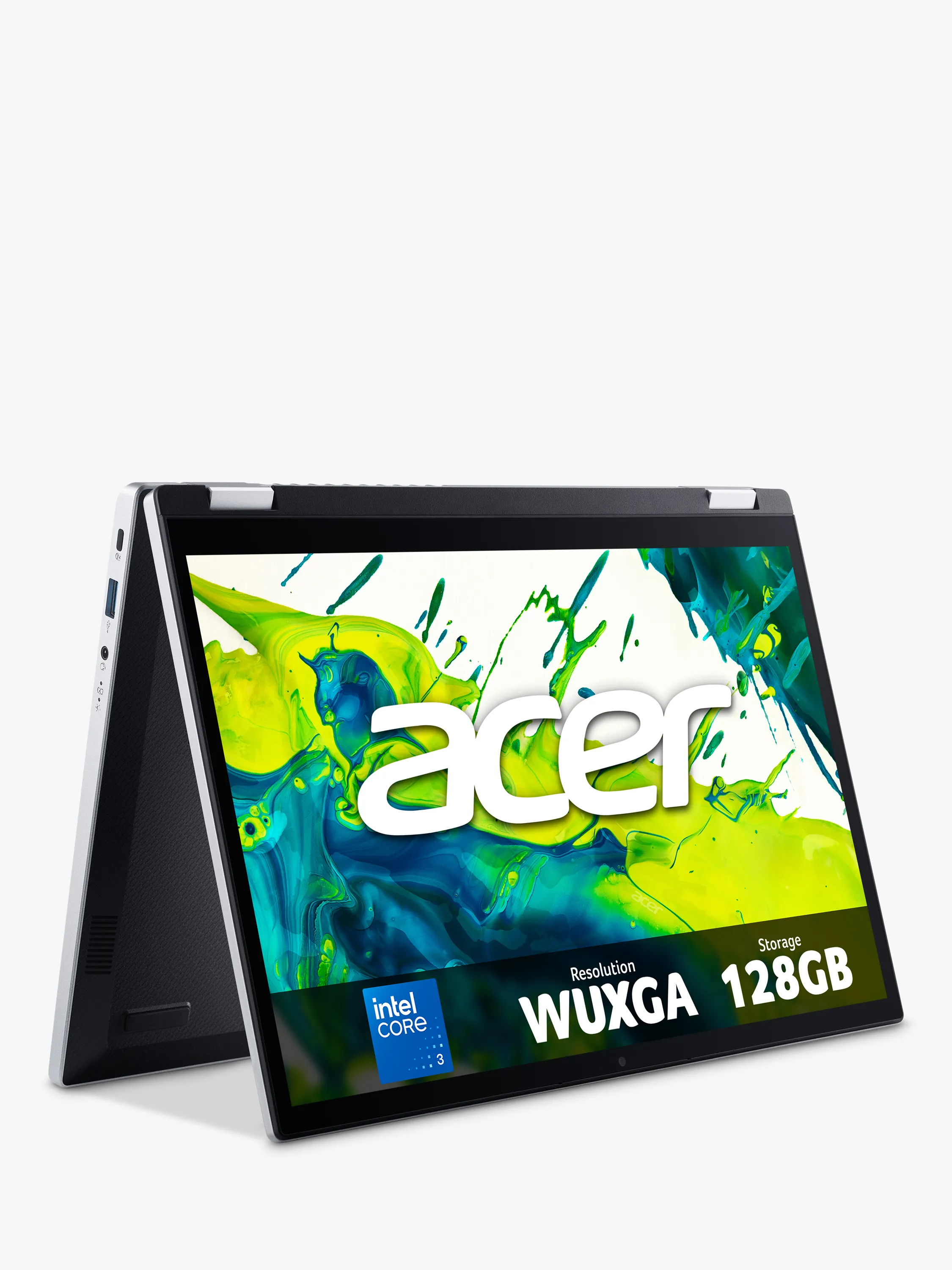
    Acer Aspire Go 14
    Our pick

    Acer Aspire Go 14

    Why it fits you

    • The Acer Aspire Go 14 is an affordable and reliable entry-level laptop that easily handles daily academic tasks such as essay writing, web research, and remote lectures.
    • Its compact 14-inch form factor slips effortlessly into a backpack, making it ideal for students moving between classes and libraries.
    • Compared to the other models, it offers the most budget-friendly entry while still delivering dependable performance for your studies.

    est. kr2,499

    Estimated list price — we haven't checked a shop yet.

    Checking shop prices now…

    Prices change often — check the retailer for the current price.

    Key Specs

    Display
    14"
    Processor
    N4000
    Graphics
    Intel UHD Graphics
    RAM
    4 GB
    Storage
    64 GB
    Battery
    50Wh, up to 10h
    Weight
    1.65 kg
    2 alternatives

    Also a strong fit for what you told us.

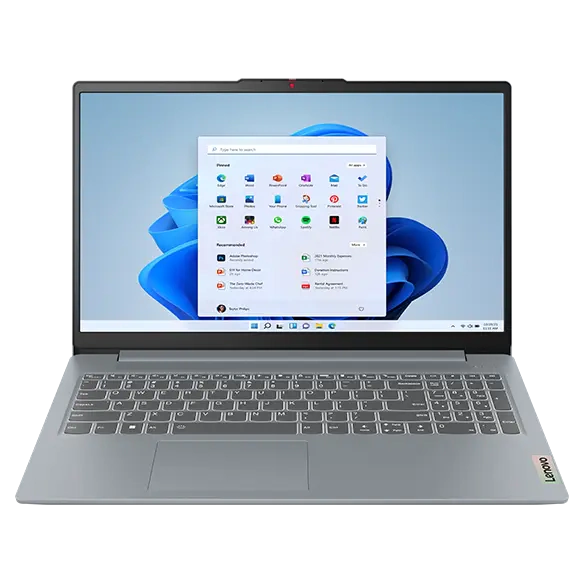
    Lenovo IdeaPad Slim 3 (14-inch, Gen 9)

    Lenovo IdeaPad Slim 3 (14-inch, Gen 9)

    Why it fits you

    • The Lenovo IdeaPad Slim 3 strikes an exceptional balance between productivity and value, featuring a snappy processor and generous memory for seamless multitasking across multiple research tabs and study apps.
    • Its comfortable keyboard ensures long typing sessions for papers and assignments remain fatigue-free. Positioned as the balanced middle-ground choice, it upgrades your multitasking capabilities compared to the entry-level pick without reaching the higher price tier.

    Key Specs

    Display
    14-inch FHD IPS 60Hz
    Processor
    AMD Ryzen 5 7520U
    Graphics
    AMD Radeon 610M
    RAM
    16GB
    Storage
    512GB SSD
    Battery
    47Wh, up to 11h

    est. kr2,999

    Estimated list price — we haven't checked a shop yet.

    Checking shop prices now…

    Prices change often — check the retailer for the current price.

    ASUS Vivobook Go 15

    ASUS Vivobook Go 15

    Why it fits you

    • The ASUS Vivobook Go 15 delivers a more expansive screen workspace, making it exceptionally comfortable for viewing side-by-side study documents and spreadsheets.
    • With robust processing power and ample storage, it keeps all your digital textbooks and project files organized and readily accessible. As the most premium option in this lineup, it prioritizes a larger display area compared to the 14-inch alternatives.

    Key Specs

    Display
    15.6-inch FHD OLED 60Hz
    Processor
    AMD Ryzen 5 7520U
    Graphics
    AMD Radeon 610M
    RAM
    16GB
    Storage
    512GB SSD
    Battery
    42Wh, up to 8h
    Weight
    1.63 kg

    est. kr3,399

    Estimated list price — we haven't checked a shop yet.

    Checking shop prices now…

    Prices change often — check the retailer for the current price.

    Some links are affiliate links. If you buy through them, I earn a small commission at no extra cost to you. Thank you for supporting the site!

    WhatDeviceForMe — AI-powered laptop recommendations

    Frequently asked questions

    How much RAM should a student laptop under kr3,500 have?

    For notes, web research and office apps, 8 GB is a practical baseline. Check whether the RAM is upgradeable, since some budget models have memory that cannot be expanded.

    Can these budget laptops last through a day of lectures?

    Battery life depends on the exact configuration, screen brightness and workload, so advertised figures may exceed real use. Look for independent battery tests and consider carrying a charger for a full day on campus.

    Is a 14-inch or 15-inch laptop better for students in Denmark?

    A 14-inch model is generally easier to carry between home and campus, while a 15-inch screen offers more workspace for documents and split-screen tasks. Weigh portability against screen size and check the laptop’s actual weight.

    Which ports should I look for in a student laptop?

    Check for USB-A for common accessories, USB-C for newer devices and charging where supported, and HDMI if you present on external displays. Port availability and USB-C capabilities vary by configuration, so verify the specifications before buying.

    More picks for Denmark

    Browse all laptop picks →