Skip to content

    Best Laptops for Creative Work in the UK under £1,750

    Looking for a laptop for creative work in the UK with a budget of up to £1,750? These picks cover different needs, from the Acer Nitro V 16 with an RTX 5060-class GPU for demanding graphics work to the portable Asus Zenbook 14 and Samsung Galaxy Book5 Pro.

    Compare processor and graphics capability, memory and storage, and the screen and keyboard you’ll use every day. Battery life varies with brightness and workload, while weight and ports matter for working on the move or connecting cameras, drives and displays.

    Guide updated October 25, 2026. Shop prices have their own check dates.

    3 picks

    Best overall
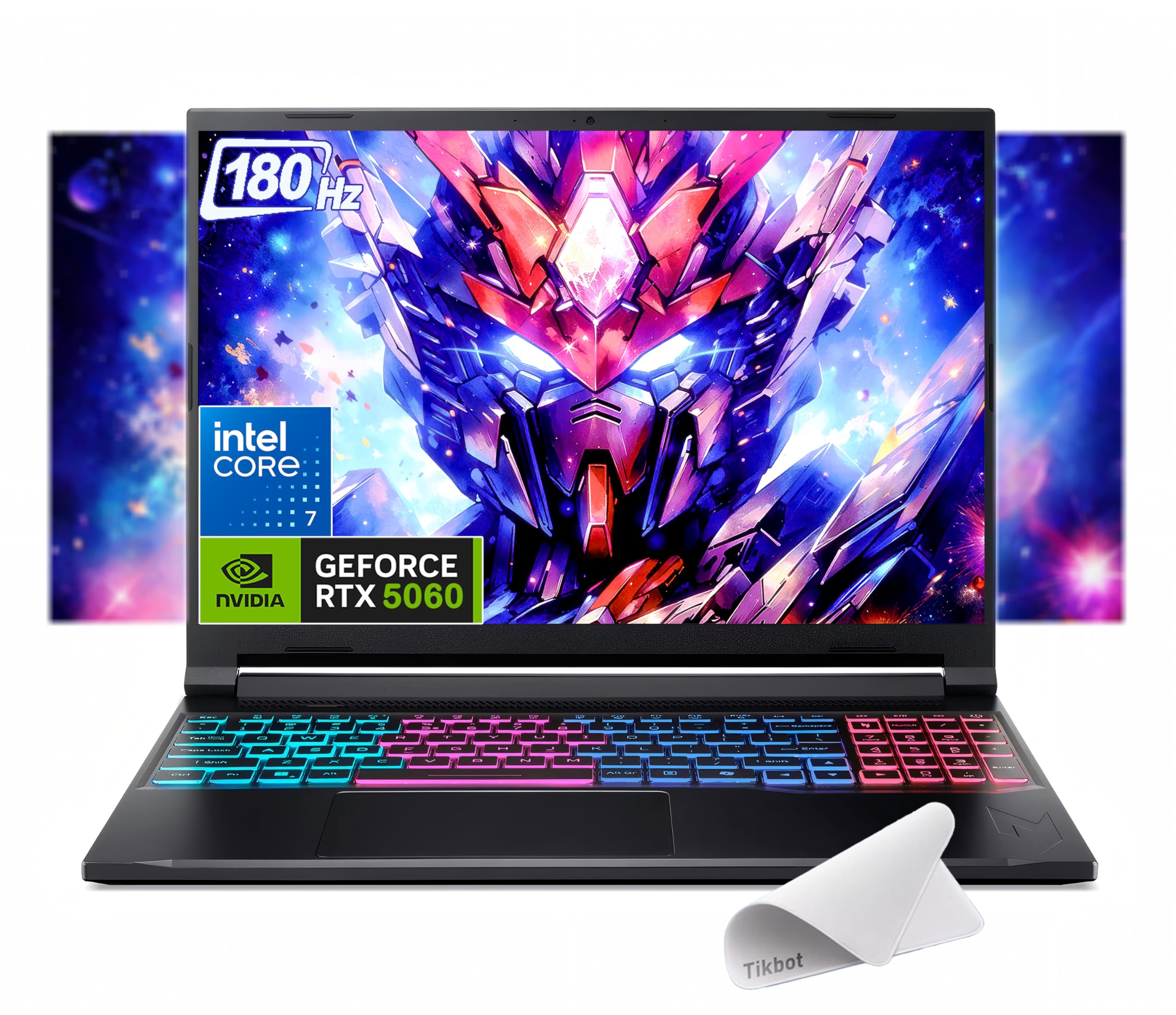
    Acer Nitro V 16 V16 RTX 5060
    Our pick

    Acer Nitro V 16 V16 RTX 5060

    Why it fits you

    • Best value for creative work that benefits from GPU acceleration: the RTX 5060 is better suited to 3D work, effects and demanding editing than the integrated graphics in the other two picks.
    • Its 16-inch screen also gives you more workspace, though the display is less vibrant than the OLED options and 512GB storage may fill quickly.

    est. £1,620

    Estimated list price — we haven't checked a shop yet.

    Checking shop prices now…

    Prices change often — check the retailer for the current price.

    Key Specs

    Display
    16-inch IPS 120Hz, 1920×1200
    Processor
    Intel Core 7 240H
    Graphics
    NVIDIA GeForce RTX 5060 Laptop GPU
    RAM
    16GB DDR5
    Storage
    512GB NVMe SSD
    Battery
    76Wh, up to 7 hours

    2 alternatives

    Also a strong fit for what you told us.

    Asus Zenbook 14

    Asus Zenbook 14

    Why it fits you

    • A portable all-round creative laptop with a sharp OLED screen, ample memory and fast storage for photo work, design and everyday editing.
    • Compared with the Acer, it is easier to carry and offers a more vivid display, but integrated graphics are less capable for demanding 3D rendering and GPU-heavy effects. The Samsung offers a larger screen.

    Key Specs

    Display
    14-inch OLED 120Hz
    Processor
    Intel Core Ultra 9
    Graphics
    Integrated Intel Arc graphics
    RAM
    32GB
    Storage
    1TB SSD
    Battery
    75Wh, up to 18 hours

    est. £1,650

    Estimated list price — we haven't checked a shop yet.

    Checking shop prices now…

    Prices change often — check the retailer for the current price.

    Samsung Galaxy Book5 Pro

    Samsung Galaxy Book5 Pro

    Why it fits you

    • The premium choice prioritises a spacious, vivid AMOLED screen and a slim design, making it well suited to visual work and creative tasks on the move.
    • It offers more screen space than the Asus, while the Acer is the stronger option for GPU-intensive work thanks to its dedicated graphics. Its integrated graphics and 512GB storage are the main limitations for heavier projects.

    Key Specs

    Display
    16-inch AMOLED 120Hz
    Processor
    Intel Core Ultra 7
    Graphics
    Integrated Intel Arc graphics
    RAM
    16GB
    Storage
    512GB SSD
    Battery
    76Wh, up to 25 hours

    est. £1,730

    Estimated list price — we haven't checked a shop yet.

    Checking shop prices now…

    Prices change often — check the retailer for the current price.

    Some links are affiliate links. If you buy through them, I earn a small commission at no extra cost to you. Thank you for supporting the site!

    WhatDeviceForMe — AI-powered laptop recommendations

    Frequently asked questions

    How much RAM do I need for creative work on a laptop?

    For photo editing and typical creative apps, 16GB of RAM is a practical starting point; 32GB is preferable for large projects, multitasking and heavier video work. Check whether the laptop’s memory can be upgraded before buying.

    Do I need a dedicated graphics card for video editing?

    A dedicated GPU such as the RTX 5060 in the Acer Nitro V 16 can speed up effects and GPU-accelerated exports, especially with high-resolution footage. For lighter editing, an integrated GPU may be sufficient, depending on your software and project size.

    Are OLED laptop screens good for photo editing?

    OLED screens offer strong contrast and rich colour, which can make images and video look vivid. For colour-critical work, check the screen’s colour coverage and calibration, and use a calibrated external monitor when needed.

    What ports should a creative laptop have?

    Look for USB-A or USB-C for accessories and external drives, plus HDMI or USB-C display support for an external monitor. An SD card reader is useful for photographers, but some thin laptops may require a separate hub.

    More picks for United Kingdom

    Browse all laptop picks →