Skip to content

    Best Laptops for Work and Productivity in Portugal

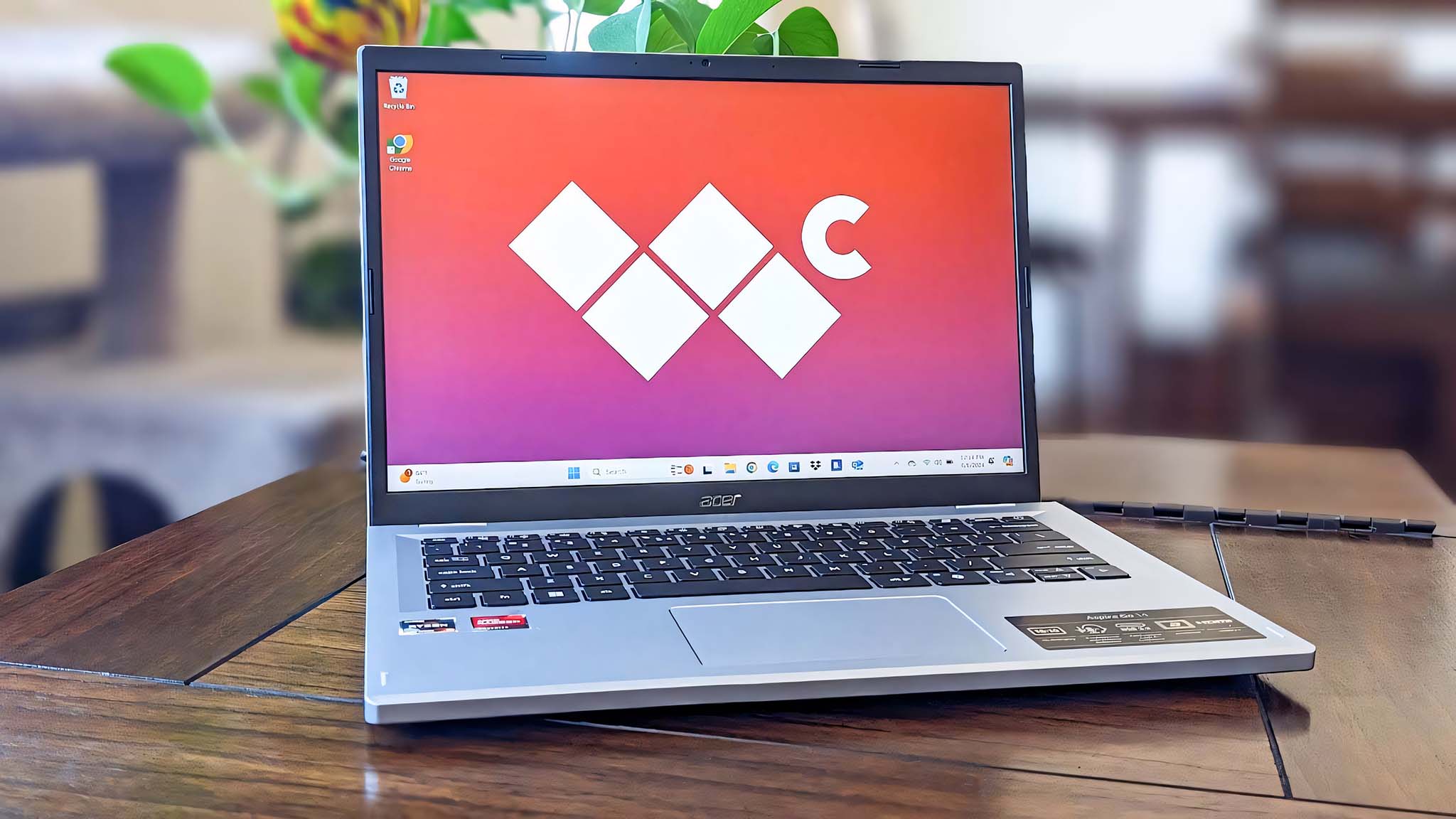
    Finding a capable work laptop under €450 in Portugal means balancing everyday speed with practical features. The Acer Aspire Go 14, Lenovo IdeaPad Slim 3i and ASUS Vivobook Go 15 are worth comparing for office tasks, web-based work and video calls.

    Check each configuration’s processor class, memory and SSD capacity, as specifications can vary. Also consider real-world battery life, keyboard comfort, screen quality, weight and ports such as USB-A, USB-C and HDMI to find a laptop that fits your routine.

    Guide updated October 25, 2026. Shop prices have their own check dates.

    3 picks

    Best overall
    Acer Aspire Go 14
    Our pick

    Acer Aspire Go 14

    Why it fits you

    • A straightforward, portable productivity laptop for documents, browsing, and video calls.
    • Its compact display makes it easier to carry than the larger options, though the modest memory and storage are best suited to everyday workloads.

    est. €399

    Estimated list price — we haven't checked a shop yet.

    Checking shop prices now…

    Prices change often — check the retailer for the current price.

    Key Specs

    Display
    14"
    Processor
    N4000
    Graphics
    Integrated Intel Graphics
    RAM
    4 GB
    Storage
    64 GB
    Battery
    50Wh, up to 10h

    2 alternatives

    Also a strong fit for what you told us.

    Lenovo IdeaPad Slim 3i

    Lenovo IdeaPad Slim 3i

    Why it fits you

    • The larger screen and 512GB SSD make this a balanced choice for spreadsheets, writing, and keeping work files locally.
    • Compared with the Aspire Go 14, it offers more storage and workspace; the Vivobook Go 15 is a similarly sized alternative for general productivity.

    Key Specs

    Display
    15.6-inch IPS 60Hz
    Processor
    Intel Core i3-1315U
    Graphics
    Integrated Intel UHD Graphics
    RAM
    8GB
    Storage
    512GB SSD
    Battery
    47Wh, up to 8h

    est. €429

    Estimated list price — we haven't checked a shop yet.

    Checking shop prices now…

    Prices change often — check the retailer for the current price.

    ASUS Vivobook Go 15

    ASUS Vivobook Go 15

    Why it fits you

    • A roomy screen and solid everyday processor suit office applications, web research, and multitasking across common work tasks.
    • It offers a more capable-feeling configuration than the compact Acer, while the Lenovo provides a comparable large-screen work setup with a different processor platform.

    Key Specs

    Display
    15.6-inch IPS 60Hz
    Processor
    AMD Ryzen 5 7520U
    Graphics
    Integrated AMD Radeon 610M
    RAM
    8GB
    Storage
    512GB SSD
    Battery
    42Wh, up to 10h

    est. €449

    Estimated list price — we haven't checked a shop yet.

    Checking shop prices now…

    Prices change often — check the retailer for the current price.

    Some links are affiliate links. If you buy through them, I earn a small commission at no extra cost to you. Thank you for supporting the site!

    WhatDeviceForMe — AI-powered laptop recommendations

    Frequently asked questions

    How much RAM do I need for work and productivity on a budget laptop?

    For email, documents, browsing and video calls, 8 GB is a practical minimum. If you regularly keep many browser tabs or office apps open, look for 16 GB where the configuration and budget allow.

    Is integrated graphics enough for office work and video calls?

    Yes. Integrated graphics in entry-level laptop processors are generally suitable for spreadsheets, presentations, streaming and video meetings, but not demanding 3D work or modern games.

    What battery life should I expect from a laptop for work in Portugal?

    Battery life varies with screen brightness, workload and configuration, so treat manufacturer figures as best-case estimates. Look for independent tests and plan for less runtime during video calls or intensive multitasking.

    Which ports should a work laptop have for office use?

    USB-A is useful for common accessories, while USB-C can support newer devices and charging on some models. HDMI is handy for connecting an external monitor or projector; check the exact port specifications before buying.

    More picks for Portugal

    Browse all laptop picks →