Skip to content

    Best Tablets for Drawing & Creative Work Under $1,100 in the US

    Finding the perfect digital canvas doesn't have to break the bank. For artists and designers in the United States, several exceptional options sit comfortably under the $1,100 mark, including the highly accessible Apple iPad (A16) and the incredibly powerful Apple iPad Air 11-inch (M4).

    For those requiring a larger workspace, the Apple iPad Air 13-inch (M4) delivers an expansive canvas. These tablets lead the industry with superb color accuracy, seamless Apple Pencil integration, fast processing speeds, and robust battery life to support your creative flow all day.

    Top 3 picks

    Best Overall
    AI-picked
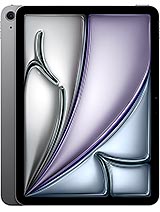
    Apple iPad Air 11-inch (M4)

    Apple iPad Air 11-inch (M4)

    Top match score92%

    Why we picked this

    Best Overall: The iPad Air 11-inch (M4) is the best balance of performance, portability, and long-term usefulness for drawing and note-taking. It is much faster than the base iPad, but still lighter and easier to carry than the 13-inch model, making it the most versatile choice for most people.

    Key Specs

    Screen Size
    11-inch Liquid Retina 60Hz
    Processor
    Apple M4
    RAM
    8GB
    Storage
    128GB
    Battery
    up to 10h
    Camera
    12MP rear

    Where to buy

    est. $599
    Search on Amazon.com

    Prices change often — check the retailer for the current price.
    Best Value
    AI-picked
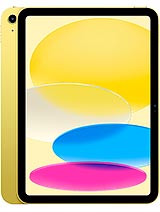
    Apple iPad (A16)

    Apple iPad (A16)

    Top match score85%

    Why we picked this

    Best Value: The iPad (A16) is the cheapest tablet here and the easiest to recommend for drawing and note-taking thanks to excellent app support, low latency with the Apple Pencil, and a very polished writing experience. It is less powerful and less display-advanced than the two iPad Air picks, but it covers the core creative workflow well.

    Key Specs

    Screen Size
    11-inch Liquid Retina 60Hz
    Processor
    Apple A16
    RAM
    6GB
    Storage
    128GB
    Battery
    up to 10h
    Camera
    12MP rear

    Where to buy

    est. $349
    Search on Amazon.com

    Prices change often — check the retailer for the current price.

    Premium Pick
    AI-picked
    Apple iPad Air 13-inch (M4)

    Apple iPad Air 13-inch (M4)

    Top match score88%

    Why we picked this

    Premium Pick: The iPad Air 13-inch (M4) gives you the largest canvas in this group, which is especially nice for sketching, split-screen note-taking, and reading reference material side by side. It costs more than the 11-inch Air, but the extra screen space is the main reason to choose it.

    Key Specs

    Screen Size
    13-inch Liquid Retina 60Hz
    Processor
    Apple M4
    RAM
    8GB
    Storage
    128GB
    Battery
    up to 10h
    Camera
    12MP rear

    Where to buy

    est. $799
    Search on Amazon.com

    Prices change often — check the retailer for the current price.

    Some links are affiliate links. If you buy through them, I earn a small commission at no extra cost to you. Thank you for supporting the site!

    WhatDeviceForMeAI-powered tablet recommendations

    Frequently asked questions

    Which Apple Pencil works best with the iPad Air M4 for drawing in the US?

    The iPad Air 11-inch and 13-inch (M4) support the Apple Pencil Pro, which features squeeze gestures, barrel roll, and haptic feedback designed specifically for digital artists.

    Is the 13-inch iPad Air M4 screen color-accurate enough for professional creative work?

    Yes, the Liquid Retina display on the 13-inch iPad Air supports the P3 wide color gamut and anti-reflective coating, providing the color precision required for digital painting and design.

    Can the budget-friendly Apple iPad A16 handle high layer counts in Procreate?

    The A16 Bionic chip handles standard digital sketching and moderate layers with ease, though artists working with massive canvas sizes and dozens of layers will benefit from the extra RAM in the M4 iPad Air.

    How does the battery life of these creative tablets hold up during long drawing sessions?

    These iPads generally deliver up to 10 hours of web browsing or video, but active drawing in intensive apps like Procreate at high screen brightness will typically yield about 6 to 8 hours of continuous use.

    More picks for United States

    Browse all tablet picks →