Skip to content

    Best Work Laptops Under €800 in the Netherlands

    Looking for a dependable work laptop under €800 in the Netherlands? These picks balance responsive everyday performance with the features that matter for documents, video calls, research and multitasking.

    We compare CPU and GPU class, memory, storage, real-world battery life, keyboard and screen quality, portability and useful ports to help you choose between the Lenovo IdeaPad Pro 5i, Acer Aspire 14 AI and Acer Swift Edge 14.

    Top 3 picks

    Best Overall
    AI-picked
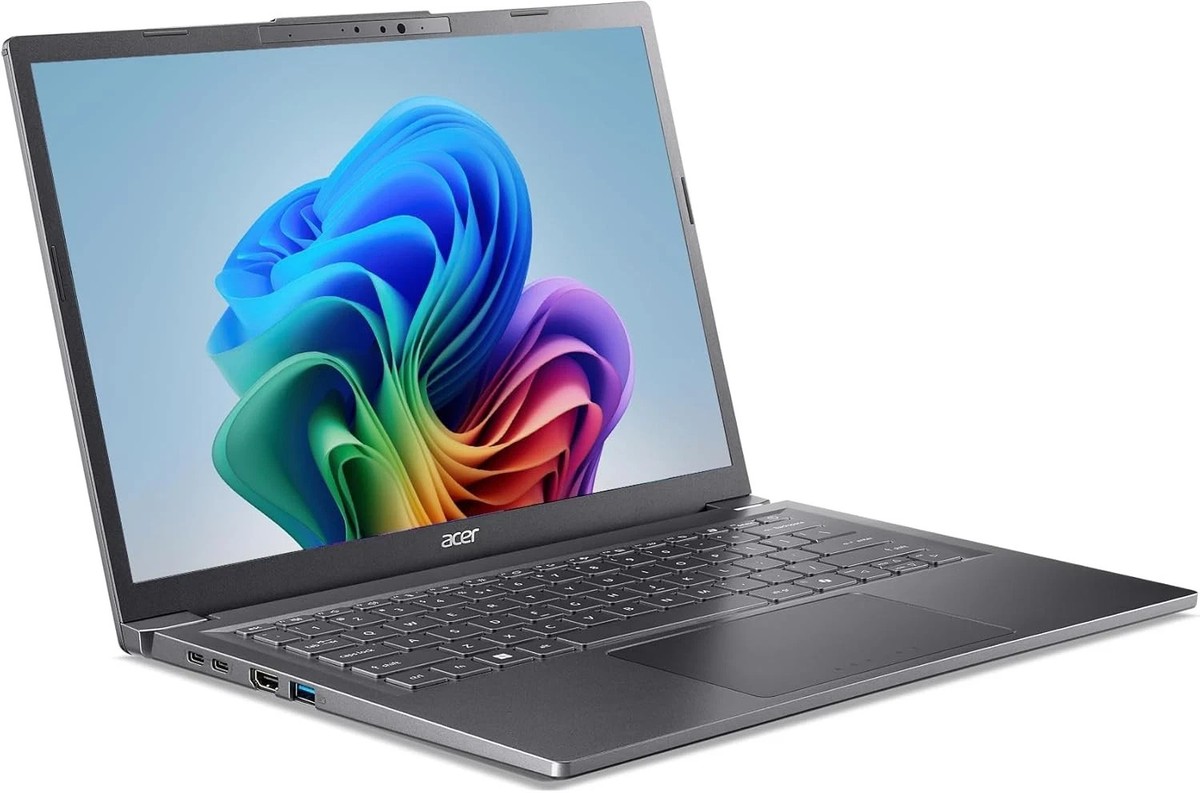
    Acer Aspire 14 AI (2026)

    Acer Aspire 14 AI (2026)

    Top match score92%

    Why we picked this

    Best Overall: This Copilot+ PC balances portability, responsive everyday performance, and long battery life for work and productivity. Compared with the Lenovo, it offers a particularly polished AI-PC platform and capable integrated graphics, while remaining substantially less expensive than the premium tier. The 14-inch format is well suited to commuting and desk-based office work.

    Key Specs

    Display
    14-inch IPS 1920×1200 60Hz
    Processor
    Intel Core Ultra 5
    Graphics
    Integrated Intel Arc Graphics
    RAM
    16GB
    Storage
    512GB SSD
    Battery
    Up to 15 hours

    Where to buy

    est. €769
    Search on Amazon.com

    Prices change often — check the retailer for the current price.

    Best Value
    AI-picked
    Lenovo IdeaPad Pro 5i (2026)

    Lenovo IdeaPad Pro 5i (2026)

    Top match score85%

    Why we picked this

    Best Value: The IdeaPad Pro 5i (2026) provides a strong productivity combination of a modern Intel processor, 16GB memory, fast SSD storage, and a practical high-resolution display. It is a better fit than relying on the superseded IdeaPad Slim 3 listing. Its main compromise is integrated graphics, which are intended for office work rather than demanding gaming or 3D workloads.

    Key Specs

    Display
    14-inch IPS 1920×1200 60Hz
    Processor
    Intel Core Ultra 5
    Graphics
    Integrated Intel Graphics
    RAM
    16GB
    Storage
    512GB SSD
    Battery
    Up to 14 hours

    Where to buy

    est. €749
    Search on Amazon.com

    Prices change often — check the retailer for the current price.

    Premium Pick
    AI-picked
    Acer Swift Edge 14 (2026)

    Acer Swift Edge 14 (2026)

    Top match score88%

    Why we picked this

    Premium Pick: The Swift Edge 14 (2026) is the lightest-feeling premium productivity choice here, combining an OLED display, generous storage, modern AI-capable processing, and extended battery life. It costs more than the other two but stays within the permitted premium limit. Choose it for mobility and display quality; choose the Acer Aspire 14 AI for a more balanced mainstream configuration.

    Key Specs

    Display
    14-inch OLED 120Hz
    Processor
    AMD Ryzen AI 7
    Graphics
    Integrated AMD Radeon Graphics
    RAM
    16GB
    Storage
    1TB SSD
    Battery
    Up to 18 hours

    Where to buy

    est. €899
    Search on Amazon.com

    Prices change often — check the retailer for the current price.

    Some links are affiliate links. If you buy through them, I earn a small commission at no extra cost to you. Thank you for supporting the site!

    WhatDeviceForMeAI-powered laptop recommendations

    Frequently asked questions

    What is the best laptop under €800 in the Netherlands for office work?

    The Lenovo IdeaPad Pro 5i is a strong all-round choice for office work, offering balanced performance, a comfortable keyboard and enough memory and storage for everyday productivity.

    How much RAM and storage should a work laptop under €800 have?

    Choose at least 16GB of RAM and a 512GB SSD for smooth multitasking, document storage and everyday work applications. This combination is more practical for long-term use than 8GB of RAM or a smaller drive.

    Which laptop under €800 has the best battery life for working in the Netherlands?

    The Acer Swift Edge 14 is designed for portability and can be a good choice for working away from a charger. Actual battery life depends on brightness, video calls, browser tabs and workload, so expect less runtime during intensive use.

    What ports should I look for in a productivity laptop?

    For work, useful ports include USB-A for older accessories, USB-C for charging and docks, HDMI for an external monitor, and a headphone jack. Check the exact configuration before buying, as port selection can vary by model and retailer.

    More picks for Netherlands

    Browse all laptop picks →